
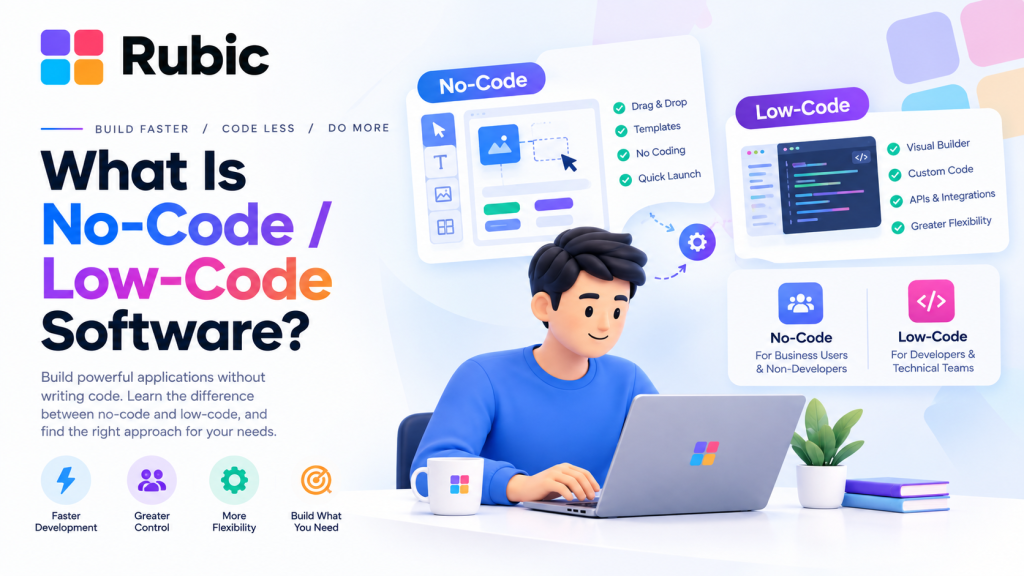
In basic terms, what is no code software? Creating computer programs using drag-and-drop techniques, not writing lines of code. Not requiring an engineering education. Groups have done so many times, making applications, forms, work processes and dashboards, without anyone on the team knowing how to write code.
The difference between low code is that it does not bar anyone from development. You want some custom logic added somewhere? Fine, someone can open it up and write it. Both methodologies reduce the development process. Both give businesses greater control over their tools.
What Is No Code Software?
No-code means building applications without writing traditional code — full stop. You’re working with visual interfaces, templates, forms and components someone else already built. A few things show up on nearly every platform:
- Drag screens, fields and buttons wherever you want them. That’s the whole interaction model for most builders.
- Templates exist so nobody starts from a blank page.
- One trigger and a whole chain of tasks runs on its own — no query language, no schema design, just fields and filters set up by hand.
- Most tools plug straight into the email, payment, storage and CRM systems a business already runs on.
- A finished app can go live without routing through a full development pipeline.
That’s the appeal in a sentence: something working now, for a team without much coding experience to draw on.
What Is Low-Code Software?
Low-code leans on the same visual building blocks, but the door to real code stays open. Developers race through the routine parts, then drop into custom code exactly where a project needs more control. What that usually includes:
- Visual builders that get interfaces up fast.
- Reusable components — nobody’s rebuilding the same screen twice.
- Database tools for structured business data.
- APIs tying one system to another.
- Custom code for whatever the templates can’t cover.
- Deployment tools for testing and running apps once they’re live.
In general, low code can manage projects with more components compared to ordinary no-code projects, although it keeps the benefit of rapid development through visual programming intact.
No Code vs Low Code Explained
No code vs low code without all the fuss boils down to three things: Who is building? How custom does it need to be? And how much code is there really?
| Feature | No-Code | Low-Code |
| Primary users | Business users and non-developers | Developers and technical teams |
| Coding requirement | Little to none | Some coding may be required |
| Customization | Mainly based on available components | Greater customization options |
| Development speed | Very fast for suitable projects | Fast for simple and complex applications |
| Technical flexibility | More limited | Generally higher |
| Best suited for | Internal tools and standard workflows | Customized and enterprise applications |
| Developer involvement | Often minimal | Usually involved |
| Learning curve | Generally easier | Requires greater technical knowledge |
Not one winner. This is dependent on the nature of the application, the individuals comprising the team and the level of control needed by the position.
How No-Code and Low-Code Platforms Work
Most platforms stack a handful of visual features to cover the whole build.
- Visual application builders. Pages, forms and dashboards get put together by picking pre-built pieces and arranging them. No manual interface work.
- Workflow automation. One action sets off a chain of others. Submit a form and it sends an email, updates a record and pings a teammate — nobody touches a keyboard after the initial trigger.
- Database management. Fields, tables, filters, relationships: all set up visually, no database code in sight.
- Integrations and APIs. Applications trade data with outside services. Payment processors, email tools, CRMs, cloud storage, communication platforms — wired in without custom development on either end.
No Code Tools for Business
No code tools for business now cover a lot of ground that used to require a developer’s time:
- Employee onboarding — HR runs the paperwork through forms and workflows: collecting documents, assigning tasks, tracking where each new hire actually stands.
- Customer feedback — a simple form and a dashboard beat letting responses pile up across five different inboxes.
- Sales dashboards — leads and performance sit in one visual dashboard instead of a spreadsheet someone has to update every Monday.
- Inventory tracking — stock levels, orders, product details, logged as things move, no separate system to babysit.
- Project management — tasks, deadlines and status updates live on one shared board instead of three different tools nobody checks consistently.
- Approval processes — expense, leave and purchase requests move through a defined chain instead of a string of back-and-forth emails.
The strengths of these methods lie in situations where the needs are known and do not change much month-to-month.
Benefits of No-Code and Low-Code Development
- Faster development — visual elements bypass the rebuilding process each time there is a change in the requirement.
- Lower barrier to entry — business users handle small requests themselves instead of sitting in a dev team’s queue for weeks.
- Better collaboration — developers and business staff look at the same screens and workflows, which beats a written spec nobody reads past page two.
- Less repetitive work — automation soaks up the routine setup, so developers spend their time where it counts.
- Faster prototyping — a rough first version comes together quickly enough to put in front of real users before anyone commits serious budget.
Limitations to Consider
- Customization has a ceiling — not every design or function fits what a platform supports.
- Platform dependency means moving an app off the platform later can cost more time than building it did the first time around.
- Integration restrictions show up when a service needs a custom connection or just isn’t supported at all.
- Pricing climbs with users, features and storage — usually faster than the sales page suggested.
- Security needs a proper look at access controls and data handling, not a rubber stamp.
- Scalability is easy to overlook until a setup built for ten users buckles the moment usage picks up.
When Should a Business Choose No-Code?
No code makes sense if the requirements are straightforward right out of the gate; non-technical personnel will operate the app; and the development effort revolves mostly around forms, dashboards and databases. Another factor: the need for speed takes precedence over customization and a platform that provides all necessary integration capabilities without requiring any additional work.
The example of a start-up implementing an internal leave request system is an archetypal situation where no code should be used.
When Is Low-Code a Better Fit?
The value of low code comes into play once the custom business logic is needed or those developers requiring access at the source level will not be providing it. The right choice also applies when the project requires multiple business systems to be integrated or there are many users involved or the pre-built elements cannot satisfy their requirements.
In such cases, the low-code approach allows enjoying visual development speeds along with the engineering work developers have to complete.
How to Select the Right Platform
- Start by identifying the required functions, workflows and data the project requires, rather than listing your wishlist requirements.
- Identify who is going to create and maintain this product post-launch – their skills play a far more significant role than a simple feature comparison matrix.
- Determine if it integrates with other systems currently being used and evaluate permission and authentication requirements first and foremost before checking off any other box.
- Consider its longevity – ask yourself how relevant this solution would be a year down the line, not just this quarter.
- Review the overall pricing model, with emphasis on the costs based on use that do not make it onto the landing page.
- Don’t forget about vendor support – good documentation is a far more useful requirement than most features.
Future of No-Code and Low-Code Software
This trend of no-code and low-code is not going away anytime soon, as the improvement of the automation and AI-powered functionality would just further decrease the barrier to entry.
Traditional programming will not be going away either, as any highly technical operation that requires full control would always need traditional programming. Both trends look set to coexist for years to come.
Conclusion
Technologies like no-code and low-code have transformed the way businesses create applications. With no-code, everyone can create an app without any need for skills; low-code lets developers write code using a visual interface.
No-code and low-code combined involve much more than just the internal dashboards and approvals processes; they include customer portals and many other use cases. Neither of them makes it unnecessary to pay attention to the security, scalability, integration requirements, cost efficiency and overall future vision of the project.
The choice between those options depends on the app being developed, the individual or team who will take care of maintenance and the degree of control required. If all three aspects are taken into account from the beginning, then visual development becomes quite an applicable method for everyday software development.