
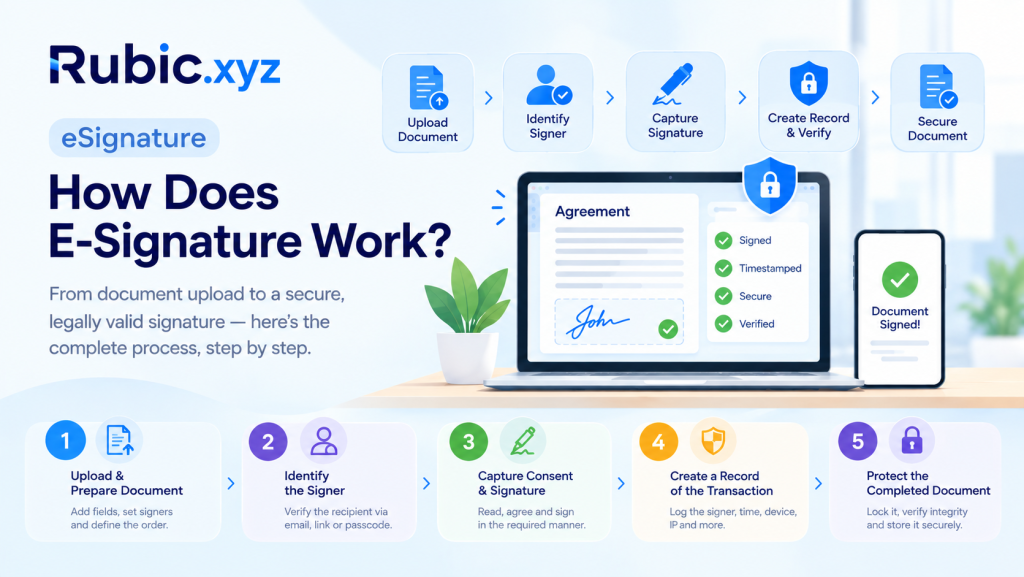
Printing a contract, signing it by hand, scanning it, then emailing it back — that whole cycle is basically gone now. Businesses get agreements, approvals, forms and contracts done online in minutes instead of days. So what actually happens the moment someone clicks “Sign”? To really answer how does e signature work, you have to look past the signature graphic itself. There’s identity checking, document protection, consent and a paper trail (digital, in this case) showing who signed, what they signed and when they did it.
E-signing systems make this easy for the user while taking care of everything behind the scenes. Beginning from the first step all the way to the last step, there is a reason for every step that comes in between, even though the user may not realize it.
What Is an Electronic Signature?
E signature is a digital component linked to an electronic message that the sender uses to indicate approval or intention. This could be the sender’s name written, his/her signature written, selected signature or an approval indicator such as “I agree.”
It’s not merely an image pasted on paper, as most people mistakenly believe. A good signing process based on e signature software links the act of signing to actual transaction data – the signer’s email address, his credentials, time stamps, IP addresses, evidence of his consent and more. Remove all that data and you’re left with nothing but a mere image.
How Does E-Signature Software Work?
E signature software works by taking an electronic document through a process from beginning to end. The exact procedures may vary from one service to another, but the procedures usually entail:
1. Upload and Prepare the Document
The sender uploads a contract, form, proposal or agreement, then places whatever fields the document needs.
Common fields include:
- Signature and initials
- Name, date and text fields
- Checkboxes and selections
- Required acknowledgement fields
- Multiple signer assignments
Senders can also specify an order for signing the document — send the document to the client first, then to the manager for signature, for instance. It is more important than it might seem; without setting the order, the documents may bounce around between people in the wrong order.
2. Identify the Signer
Before a signature counts for anything, the platform may need to confirm who the recipient actually is. What’s required here depends on the transaction and the provider handling it.
Simple documents can use either the email invite or the URL. Sensitive ones might need a passcode on top of that. In any case, this step associates the signing session with the actual person who initiates it rather than a generic visitor clicking on the link.
3. Capture Consent and Signature
The signer reads through the document, then does whatever the platform requires — types their name, draws a signature, picks a generated one or uses another supported method.
That action has to be deliberate, not incidental. It’s what separates real agreement from someone merely landing on a webpage and clicking through without reading anything.
4. Create a Record of the Transaction
Once the signature goes through, the platform logs what happened around it. Over time, this builds a history that shows exactly what took place during signing, step by step.
| Record element | Purpose |
| Signer information | Connects the event with the participant |
| Timestamp | Shows when an action occurred |
| Authentication details | Documents how access was verified |
| IP or device information | Adds transaction context |
| Document history | Shows important workflow events |
| Completion record | Confirms the signing process reached its required stage |
5. Protect the Completed Document
After everyone required has signed, the system produces the final document. Some providers lock it against further edits; others attach technical data that can flag whether the file’s been altered since completion.
From there, the completed copy gets downloaded, shared or filed away according to the organization’s own retention rules — which vary quite a bit depending on industry and document type.
What Happens Technically After You Sign?
What the signer sees is simple: click, done. Behind that, though, the platform links the signature event to the document and the transaction, then records the signer, the time, the document version and how authentication was handled at each stage.
A lot of platforms lean on cryptography to catch tampering after the fact. Some use digital certificates specifically to lock in integrity from the moment of signing onward. Change a protected document after it’s been signed and the validation data will usually show that the original state no longer matches what’s there now.
“Electronic signatures” is the broad umbrella term for signing things digitally, in any form. Digital signatures and cryptographic certificates are one particular way of adding a stronger technical layer underneath that broader concept.
How Do Online Signatures Stay Secure?
The signature itself isn’t really what keeps a transaction secure — it’s a stack of controls working together behind the scenes.
Authentication
This system should have some means to determine which person really opens the file and not simply anyone with access to the link. E-mail verification may be sufficient for general documents; riskier actions require more advanced protection.
Encryption and Data Protection
Almost all secure systems use data encryption while it is being transmitted and when it is stored. They also incorporate access control so that only specific users are allowed to access a certain file.
Audit Trails
An audit trail is essentially a log of what happened and when, letting an organization trace the full sequence of events that led up to a completed signature.
Tamper Evidence
Some editing processes can mark any edits done afterwards, thus allowing everyone involved to have faith in the fact that what is seen before their eyes corresponds to the version initially agreed upon.
Electronic Signatures vs. Digital Signatures
| Feature | Electronic signatures | Digital signature |
| Main concept | Electronic indication of intent or approval | Cryptographic method used to authenticate and protect a document |
| Typical examples | Typed name, drawn signature, click-to-sign | Certificate-based signature |
| Security approach | Varies by workflow | Uses cryptographic technology |
| Audit information | Often included by signing platforms | Commonly tied to certificate and validation data |
| Typical use | Contracts, approvals, forms, routine business documents | Transactions requiring stronger technical assurance |
Why Businesses Use E-Signature Software
This isn’t just about cutting paper out of the process — it changes how documents actually move through a company, start to finish. Key advantages include:
- Faster turnaround on agreements and approvals
- Less printing, scanning and manual filing
- Easier access for remote teams and customers
- Better visibility into pending signatures
- Centralized records for completed documents
- More consistent signing workflows
- Reduced administrative work
A Practical E-Signature Workflow
Suppose a firm makes an offer of services to a prospective client. The sender uploads the contract, drops in the required fields, adds the customer’s contact info and the platform fires off an invitation. The customer opens it through that link, wherever they happen to be.
They read the terms, fill in what’s needed, verify their identity if asked and sign. The system logs the action and updates the status right away. If someone else — a manager, say — needs to approve it next, the document automatically moves to them.
Once every party has done their part, the finished document and its transaction record become available to whoever’s authorized to see them. That’s really the full picture: electronic signing as one piece of a larger document process, not just a signature slapped onto a page and forgotten.
What Should You Look for in E Signature Software?
More needs to be considered than whether the tool simply stamps the PDF with a signature. There is merit in taking into account how it treats identity, security, records management, integrations and everyday use. Relevant features include:
- Authentication options: Does it offer verification methods that actually fit your documents?
- Audit trails: Are signing events and activity logged clearly enough to review later?
- Document integrity: How does it detect or prevent unauthorized changes after signing?
- Workflow controls: What about signing order, reminders, approvals and multiple recipients?
- Integrations: Does it work with your existing storage, CRM and other business systems?
- Access management: What permissions and admin controls come with it?
- Compliance support: Does it meet the regulations that apply to your transactions?
Are Online Signatures Legally Valid?
Electronic signatures are valid in many jurisdictions; however, this validity is subject to change from country to country, jurisdiction, the nature of the document, as well as from the type of transaction involved.
In light of this information, it becomes necessary to review the applicable laws as well as seek legal counsel for transactions that carry any significant financial weight.
Final Thoughts
So, how does e signature work in practice? Someone gets a document, confirms who they are if asked, reads it over, gives clear consent and signs. Underneath that simple interaction, the platform is quietly recording transaction details, protecting the document’s integrity and building an audit trail the whole time.
For businesses, that turns signing from a single click into a structured digital process worth trusting. Get the authentication, security, records and document controls right and online signatures end up faster than paper ever was — while still giving organizations solid proof of exactly how each transaction went down, from first upload to final signature.