
Think about the first week at a new job. The laptop is not ready. Nobody made the email account. The new person sits at a desk and does not know what to do. The manager is busy fixing things. This happens a lot, and it is not because people are lazy. It is because the process is broken.
Onboarding software can fix a lot of this. It keeps all the tasks in one place, so nothing gets lost in emails or chats. But not all tools are the same. In this post, we will look at why the first week goes wrong, what to check, and how to find the best employee onboarding software for you.
Why the First Week Goes Wrong
Most teams use a checklist in a document and send a few emails. That is fine when you hire one person a year. But when you hire five people a month, it stops working. Tasks get missed. Nobody knows who should do what. And the new person starts to feel lost and unwelcome.
The same small problems show up again and again. IT does not know the start date. Payroll forms come late. The manager forgets to plan the first day. Each small miss adds up. By Friday, the new person is thinking, did I make a mistake by joining? And the team is tired too.
There is a money side to this as well. A new hire who feels lost in week one may leave early. Hiring again costs time and money. Even if they stay, they take longer to do real work. A calm first week helps people settle in and start helping sooner. That is the whole point.
Signs your onboarding needs help:
- New people do not have tools or logins on day one
- Managers keep asking HR what is left to do
- Forms go out by email and come back half filled
- Nobody knows who finished which task
- New people ask the same questions all week
What Onboarding Software Does
Onboarding software is a tool that handles the steps after someone says yes to a job. It sends forms, gives tasks to the right people, and reminds them when something is late. HR can see everything on one screen. You do not need to chase people anymore. Think of it as a shared to-do list.
Many tools also work before the first day. The new person can sign papers and fill in details from home. Some people call this preboarding. It just means the paperwork is done early. So on day one, they can meet the team and start learning, not sit with a pile of forms.
What to Look For in the Best Employee Onboarding Software
Start with what you need, not with what looks cool. A small team that hires ten people a year needs something different from a big company that hires in three countries. Do not pay for things you will never use. A long list of features does not mean a better tool.
Checklists are the main thing. Pick a tool where you can make a list for each job, so a sales person and an engineer each get the right steps. Every task should have one owner and a due date. If no one owns a task, it will not get done.
Signing and storing documents also matter. A new person should be able to sign a contract, upload an ID, and fill in tax forms in one place. Check that the tool keeps files safe. You should be able to control who can see what. Ask about this early, before you pick anything.
Connections with other tools save a lot of time. If the tool links with your HR system, payroll, email, and chat, you will not type the same details twice. Ask which tools it connects with. Also ask if the link is ready to use or if someone has to set it up. That changes the cost.
Reminders and tracking help managers the most. A good dashboard shows who finished what and who is behind. It sends a nudge before things go wrong. This way, you will not find out on Thursday that the new person still has no laptop. Check this part in every demo.
Onboarding Software Comparison: The Main Types
Tools come in a few types, and knowing them makes an onboarding software comparison much easier. Some are part of a full HR system. Some only do onboarding. The table below shows how they usually differ. These are general points, and features change often, so check each product yourself.
| Type | Best for | Good part | Watch out for |
| All-in-one HR system | Growing companies that want one tool | Data moves from hiring to payroll | Onboarding part can be basic, price can be high |
| Onboarding-only tool | Teams that just need better onboarding | Detailed checklists, easy setup | Has to connect with your other tools |
| Payroll tool with onboarding | Small teams with few hires | Low price, simple forms | Few tasks and templates |
| Spreadsheet or shared docs | Very small teams | Free and easy to start | No reminders, easy to miss things |
No type is best for everyone. A team of ten may be fine with a payroll tool that has basic onboarding. A company with many offices and many hires needs more control. Pick the tool that fits your real work, not the one with the longest list. Be honest about what you need.
How to Pick the Right One
First, write down how you do it today. List every step from the day the person says yes to day thirty. Mark the spots where things go wrong. It takes about an hour. It also shows you exactly what you need. Many teams skip this and buy a tool that does not fix their real problem.
Second, ask the people who will use it. New hires, managers, IT, and HR all touch the process. If the tool is hard for any one of them, they will ignore it. Ask for a free trial. Let two or three people try it with a real new hire. Their feedback is worth more than any sales page.
Third, look at the price closely. Many tools charge per person per month, and some add a setup fee. Ask what is included and what costs extra. Ask how the price changes when you grow. A cheap plan that you outgrow in six months is not really cheap. Get the full price in writing.
Last, think about who will manage the tool. Someone has to build the templates and keep them updated. If nobody has time, even the best tool will get messy. Pick something your team can set up and run without a lot of training or help from outside. Simple tools get used more.
Small Habits That Make Week One Easier
Software helps, but small habits help too. These steps work with any tool, or even with no tool at all. Most of them cost nothing. They just need one person to own them and make sure they happen on time. Here is a simple list to start with. Change it to fit your team.
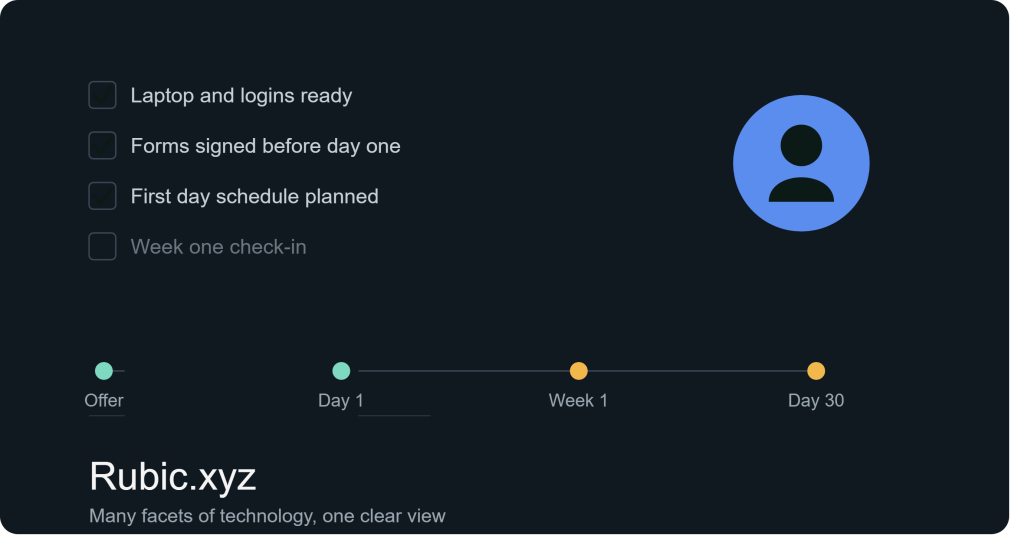
- Send a welcome message a few days before day one
- Get the laptop, email, and logins ready before the start date
- Plan the first day, even if it is just a simple schedule
- Give the new person a buddy for small questions
- Book a short chat at the end of week one
The check-in at the end of week one is worth the time. Ask what went well and what was confusing. Write the answers down and fix the process for the next hire. This is how onboarding gets better over time, with or without software. Small fixes add up fast. Do it every time.
Final Thoughts
First-week chaos is not caused by bad people. It comes from missing steps, unclear owners, and late tasks. The best employee onboarding software fixes these three things. It does not need to be fancy. It needs to be clear, easy to use, and a good fit for the size of your team.
Take your time with the onboarding software comparison. Write down your process, try two or three tools, and ask real users what they think. A little work now saves many hours later. And your next new hire will walk in on day one feeling welcome, not lost. That is the goal.