
Ask five vendors what “HCM” means and you’ll get five slightly different answers. Same with “HR software” and “HR information system” — the terms get thrown around interchangeably in sales decks even though the systems behind them aren’t always built for the same job. Getting this straight matters once real money and a multi-year contract are on the table.
Here’s the thing most buyers get wrong: they shop by feature count instead of by fit. A 40-person company doesn’t need what a 4,000-person company needs and buying the same tier of system regardless of scale is a fast way to burn a budget on features nobody opens. Some businesses just need clean employee records and a functioning leave calendar. Others need talent, payroll, analytics and workforce planning all talking to each other. This guide walks through where each one fits.
What Is HR Software?
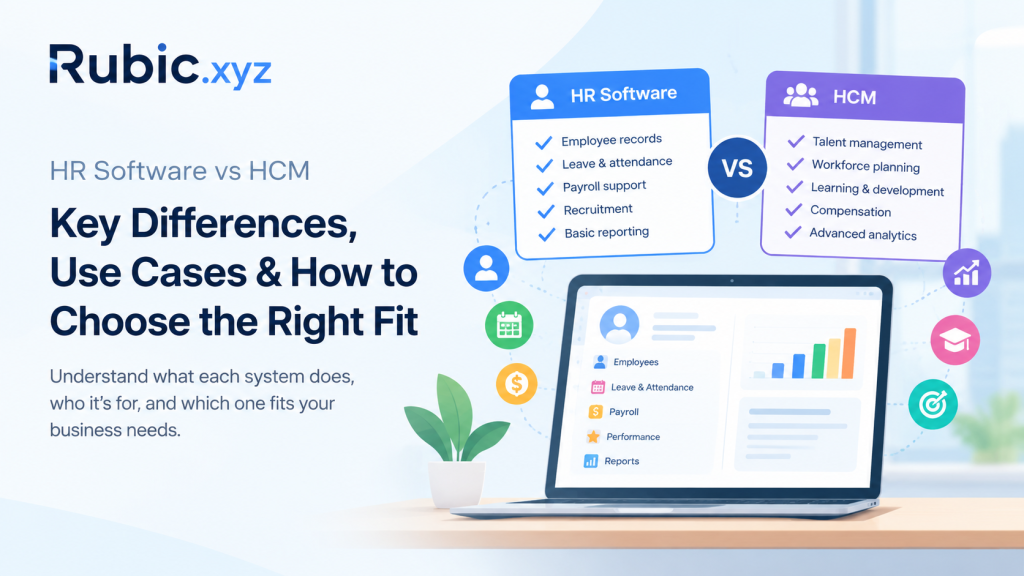
HR software is the catch-all term for tools that handle routine, day-to-day employee administration. Some do one thing well — payroll, say or applicant tracking — and stop there. Others have bolted on enough modules over the years to cover most of the employee lifecycle. A lot of the bigger names in this space actually started as single-purpose tools and grew outward as customers asked for more. Common capabilities include:
- Employee records and document management
- Leave, attendance and time tracking
- Payroll support and benefits administration
- Recruitment & onboarding
- Performance reviews
- Employee self-service
- Basic HR reporting
What Is HCM?
Human Capital Management or HCM, expands its scope. It is no longer concerned with managing the administration of HR transactions but focuses on integrating the information on workers to organizational strategy, covering talent management, workforce planning, learning, compensation and analytics.
The HCM system follows an employee from day one to promotions, job transfers and ultimately termination of employment. This is precisely why such systems have value to businesses that have different departments, geographic areas or business units that have to look at the same numbers. With the help of HCM systems, the management can ask tough questions that are beyond the scope of administrative HR systems – skill gaps, retention risks, comparisons of salaries between regions.
What Does HCM Software Typically Include?
Modern HCM software brings together:
- Core HR and personnel files
- Paying and providing benefits
- Hiring and orientation
- Training and development
- Performance management
- Compensation planning
- Workforce analytics
- Succession and talent planning
- Workforce planning and scheduling
HR Software vs HCM
If you’re trying to sort HR software vs HCM in your head, think scope. HR software handles specific administrative tasks. HCM ties together a much wider set of workforce processes and strategic functions.
| Area | HR Software | HCM |
| Primary focus | HR administration | End-to-end workforce management |
| Typical users | HR teams and employees | HR, managers, executives and employees |
| Employee records | Common | Core capability |
| Payroll and benefits | Often available | Commonly integrated |
| Talent management | Varies by product | Usually broader |
| Workforce planning | Limited in many tools | More developed |
| Analytics | Basic to moderate | Advanced and workforce-focused |
| Scalability | Depends on platform | Often designed for complex organizations |
| Integration | Varies | Typically broad and connected |
That said, don’t read this as “HCM wins.” Plenty of HR software has grown well past its original scope and plenty of HCM suites are clunkier than a simpler tool doing fewer things well.
HRIS and HCM: Where Does HRIS Fit?
HRIS — Human Resources Information System — is the older, narrower term. It’s about maintaining employee data: profiles, payroll info, benefits, attendance, compliance records.
In most conversations, HRIS ends up meaning the system of record for employee data, while HCM is the broader umbrella. But vendors are loose with these labels, so don’t take a product name at face value — ask what it actually does. Two systems with nearly identical marketing pages can turn out worlds apart once you’re in a demo asking about your specific workflows.
When Is Traditional HR Software Enough?
Plenty of organizations don’t need a sprawling workforce platform and that’s fine. A focused HR system works when the job is just organizing employee data and killing off manual paperwork.
It’s a good fit if you:
- Run simple HR processes
- Need a central employee database
- Want to cut paperwork and manual spreadsheets
- Have limited workforce planning needs
- Just need basic reporting and employee self-service
- Prefer a lighter implementation
Buying a big suite here just means paying for complexity you’ll never touch. Solve the problem in front of you.
When Does an HCM Platform Make More Sense?
Once workforce management outgrows basic admin, HCM starts earning its keep. Bigger companies, fast-growing ones and anyone spread across multiple locations tend to hit a point where disconnected systems stop working.
Signs Your Organization May Need HCM
- Multiple workforce systems: HR data is scattered across disconnected applications.
- Complex talent processes: Recruiting, learning, performance and succession need tighter coordination.
- Rapid growth: Headcount and org structures are shifting fast.
- Advanced reporting needs: Leadership wants insight beyond headcount and payroll.
- Global operations: Each region comes with its own compliance, payroll and administration issues.
- Workforce planning: HR needs to ensure that staffing is in line with strategy.
Benefits of an Integrated HCM
The real payoff of a connected platform isn’t any single feature — it’s what happens when the pieces talk to each other.
Better Data Consistency
Scatter employee data across five different tools and you get five slightly different versions of the truth. One platform, one source of record.
Stronger Employee Experience
Payslips, benefits, leave requests, learning modules, performance tasks — all in one login instead of six. Fewer passwords, less re-entering the same information, less friction.
More Useful Workforce Insights
With everything under one roof, HR can actually look at turnover, workforce costs, hiring trends and performance side by side instead of stitching together reports from different systems. That’s usually where the useful patterns show up.
Greater Process Efficiency
Approvals, onboarding, notifications, reporting – automate the process rather than having to rely on one’s memory to pursue all those manually.
How to Choose Between HR Software and HCM
Forget the feature checklist on the vendor’s site. Start with what’s actually broken in your current process — where’s the work piling up, where are the errors coming from. Ask yourself:
- What HR processes need improvement today?
- How many employees and locations does the system need to support?
- Which systems already hold employee or payroll data?
- Do managers need workforce analytics?
- Are recruiting, learning, performance and compensation connected?
- How much customization and integration will this take?
- What compliance and security requirements apply?
- How well does the platform scale as the organization grows?
Implementation Matters as Much as Features
Speak with those who will utilize this system on a daily basis before you sign anything. They’ll spot workflow gaps a vendor demo will never surface. And picking the software is really just step one — how well it gets rolled out decides whether it actually gets used. A solid rollout includes:
- Clear ownership across HR, IT, payroll and business teams
- Data cleansing before migration
- Integration planning
- Role-based access controls
- Testing of critical workflows
- Employee and manager training
- A defined support process after launch
And be honest about which broken processes you’re carrying over versus fixing. Bolting a messy manual workflow onto new software doesn’t fix it — it just automates the mess.
Common Mistakes to Avoid
A few mistakes show up again and again when companies buy HR technology based on demos instead of actual needs.
Choosing Features Over Requirements
A long feature list looks impressive in a sales pitch. It doesn’t mean much if none of it maps to a problem you actually have.
Ignoring Integration
Payroll, finance, identity management, time tracking, recruiting — this stuff rarely lives in isolation and your new system needs to actually talk to what’s already there.
Underestimating Change Management
Even the best software will fall flat if there is no effort to educate employees on its importance. This should happen prior to deployment, not after frustrations have arisen.
Overlooking Data Security
Employee records are sensitive by nature. Access controls, authentication, audit trails, vendor security practices — this belongs in the selection process, not something you check after the contract’s signed.
Future of Workforce Management
The direction is pretty clear: more connected systems, deeper analytics, more automation and a stronger focus on the employee’s actual experience using the thing. AI is creeping into recruiting, workforce insights and service delivery too — though most organizations are still figuring out the governance side of that, especially around data and automated decisions. Vendors are also feeling pressure to prove their AI features save real time instead of just adding another dashboard nobody opens.
As all this converges, the line between a standalone HR tool and a full HCM suite keeps getting blurrier. What actually matters is whether the platform fits how your organization works — not whether it fits a category label.
Final Thoughts
At the end of the day, HR software vs HCM comes down to scope, integration and purpose. HR software handles the essentials efficiently. HCM connects a wider set of workforce processes to support bigger strategic goals.
Don’t get hung up on what a vendor calls their product. Look at the actual workflows, the data requirements, the integrations, your org’s structure, security expectations and where you’re headed in a few years. The system that fits your real needs beats the one with the flashiest feature list every time — and the people using it daily are usually the ones who’ll tell you which is which.